
 Groups
 Discussions
 Events
 Settings
A step by step guide to attaching (uploading) photos.
-
Firstly, if the picture does not belong to you, then it may be subject to copyright law. Be aware that if you are caught trying to upload copyright, obscene, or illegal material you may be suspended or removed by the site administrators.
CLICK HERE TO READ THE RULES
-
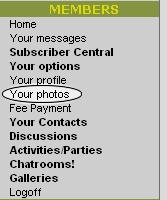
Click the "photos" link in the main "left hand" menu.
-
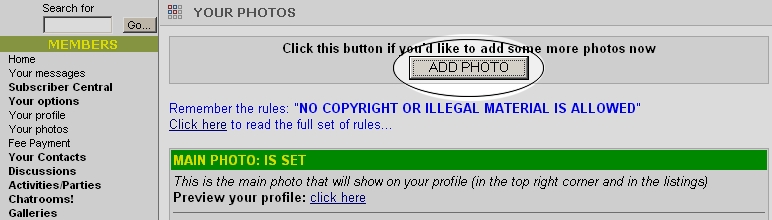
Then click "ADD PHOTO"
-
Now you're ready to choose your photos!
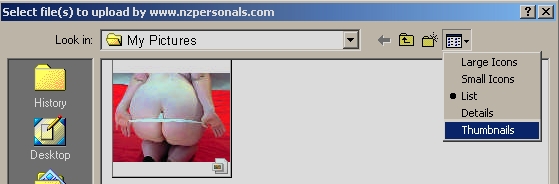
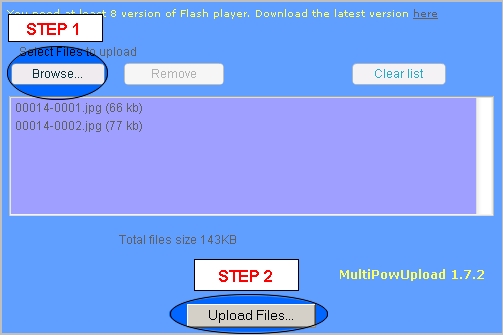
Step 1. Click [Browse] to find photos that are already stored on your computer.
Step 2. Click [Upload Files] to upload your photos to your NZPersonals gallery.
-
FINALLY
After photos are uploaded, you'll be asked where to store them.
You may choose as many options as you wish for each photo: i.e. you may decide to store your photo as a "main profile photo" AND store it in your "public gallery" AND also in your "private messaging gallery".
You may also add a caption to each photo.
-
DON'T FORGET TO CLICK THE [SAVE] BUTTON!